


AI Play Guitar Songs · Chordie
2.699.00 Reviews
App Specs
- Version
- 4.1.2608150
- Updated On
- License
- Free
- Downloads
- 100,000+
- Developer
- Deplike Yazılım Müh. San.ve Tic. Ltd. Şti
- Categories
- Education
- Platform
- Android
Screenshots

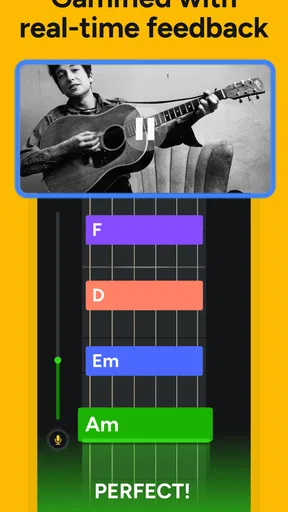
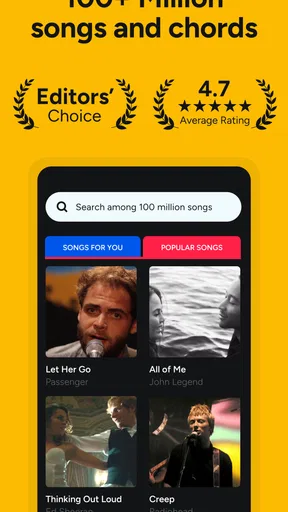
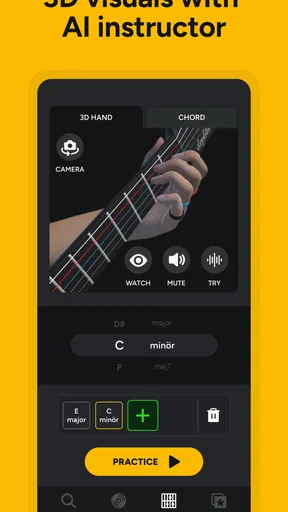
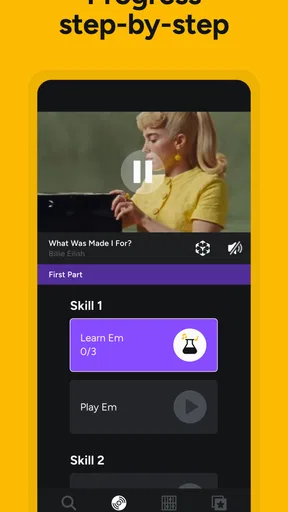

 Analysis by AppCompare
I approached AI Play Guitar Songs · Chordie as an educational guitar app for the moments when I want to stop searching for theory lessons and start working on an actual song. Its appeal is straightforward: it is designed around chords, tabs, song learning, and beginner-friendly guidance, with AI positioned as the part that helps connect a song choice to playable practice. In my experience, that makes it more interesting than a static chord dictionary, but also more dependent on a clean setup and realistic expectations.
The app is free to install, aimed at everyone, and belongs to the Education category. It comes from Deplike Yazılım Müh. San.ve Tic. Ltd. Şti, and the Android release requires version 10 or later. The current version is 4.1.2608150. I would describe it as a practical learning companion rather than a complete replacement for a guitar teacher: useful when I need direction, less convincing when I need detailed feedback on every part of my technique.
Getting past the first points of friction
The first challenge with an app like this is not usually the guitar itself. It is deciding what I am trying to accomplish before opening it. “Learn guitar” is too broad. If I choose a specific song, identify whether I am working on chords or tabs, and set a small target, the experience becomes much easier to judge. Without that preparation, it is easy to jump between songs and lessons without building a repeatable practice routine.
I would begin with a song that uses a manageable number of chord shapes, even if it is not my favorite track. That gives me a way to test the app’s explanations without also fighting difficult rhythm changes. Once I can move between the basic shapes comfortably, I can return to a song I actually want to perform. This is a more productive use of the app than immediately choosing the hardest arrangement available.
Another common sticking point is expecting the app to make the instrument feel familiar immediately. It cannot remove the physical work of pressing strings cleanly, keeping the wrist relaxed, or changing shapes in time. The useful role here is organization: I can use the song and chord material to decide what to practice, then use the guitar itself to build the movement.
Before blaming the application, I check the simple things. My guitar needs to be tuned, the instrument should be comfortable to hold, and I should have enough quiet to concentrate on the displayed material. A badly tuned guitar can make a correct chord sound wrong, while a noisy room can make any listening-based practice feel unreliable. These are small details, but they matter more than many beginners expect.
I also make sure the phone is positioned where I can see the screen without twisting my neck or stopping my playing. A stand or stable surface is much better than balancing the device against a mug or a cushion. If I have to reach for the screen after every chord, the lesson becomes a series of interruptions. I prefer to preview the section first, then place the phone where I can glance at it while keeping both hands focused on the guitar.
Worth Reading Before You Choose

EA SPORTS FC Mobile 26 Is a Bigger Football Game, but It Takes Time

Flipboard Shows What News Apps Must Do Beyond the Feed

Switching to Android Auto Means Rethinking Your Driving Routine

Google Calendar Makes a Crowded Week Easier to Manage

Ludo King Makes the Most of the Minutes Between Plans

Baby Panda World Brings Quick Play to Modern Phones, but Its Game Library Feels Busy
What to check before starting a lesson
My setup routine is deliberately short. I tune the guitar, choose one song or exercise, look through the chord shapes once, and play each shape slowly before trying the progression. If the screen shows material that seems unfamiliar, I do not rush into the full song. I isolate the shape or transition that causes trouble and give it a few quiet repetitions.
- Start with one clear goal: learn a chord shape, smooth a transition, or play one section of a song.
- Keep the instrument ready: tuning and comfortable posture prevent false alarms during practice.
- Preview before playing: knowing what appears next reduces frantic screen checking.
- Use short sessions: focused repetition is more useful than scrolling through many songs.
This approach also helps answer a question many new players have: can the app be used without previous guitar knowledge? Yes, it is intended to support beginners, but “beginner-friendly” does not mean completely hands-off. I still need to understand which hand forms the chord, which strings should ring, and how to hold the pick or strum comfortably. The app can give me a path; it cannot replace the physical explanation I might receive from a patient teacher.
Recovering when the learning flow breaks
When a lesson stops making sense, I avoid restarting everything from the beginning. Instead, I identify the exact break. If the chord diagram is clear but the change is slow, I practice only the two shapes involved. If the chord is comfortable but the song rhythm feels confusing, I mute the strings and practice the strumming motion first. This separates left-hand problems from right-hand problems and makes the next attempt more informative.
Tabs can also create a different kind of overload. A beginner may try to read every symbol while keeping time, watching the next instruction, and holding an unfamiliar shape. I find it better to read a very small passage, stop, and repeat it from memory. Then I return to the display to check the next part. That turns the app from a screen to copy continuously into a reference that supports recall.
If the app appears to lose my place or a lesson feels out of sequence, I close the song view and reopen it rather than repeatedly tapping through the same screen. I also check whether I have accidentally moved to another song or section. These are safe recovery steps because they do not require changing complicated phone settings or assuming that the guitar is defective. If the problem continues, I note the exact song and action that caused it before trying again later.
One useful habit is to keep a small practice note outside the app. I write down the chord pair that caused difficulty, the section I reached, and what felt wrong. This matters because an app can show me information, but it does not automatically tell me whether yesterday’s transition was cleaner than today’s. A simple note turns casual use into a learning record and helps me return to the right exercise instead of starting over.
I would not treat an unsuccessful song attempt as evidence that the app failed. Sometimes the arrangement is simply beyond my current level. I lower the tempo in my own playing, simplify the strum, or practice the chord sequence without the recording. Once the movement is reliable, I bring back the song. This workflow is especially important for people who expect AI guidance to instantly adapt every difficult passage into a perfect exercise.
When the app is not the real problem
Guitar practice has several outside causes of frustration. Old or poorly adjusted strings can make fretting harder. A high action can make simple chords tiring. A pick that is too thick or too flexible may change the feel of strumming. Even a correct diagram will not solve those physical issues. If one chord consistently sounds muted across different lessons, I inspect finger placement and the instrument before concluding that the displayed material is wrong.
Hearing is another factor. A phone speaker is not a precision practice monitor, and a room with echo can make timing difficult to judge. I use the app’s visual information as the stable reference, then listen to the guitar directly. If the result sounds unclear, I play each string in the chord separately. That tells me whether the issue is a missed string, a finger touching a neighboring string, or simply the room making the sound muddy.
There is also a difference between recognizing a chord and changing to it in time. The first is an information task; the second is a coordination task. AI lessons and chord displays can help with the first, but the second requires repetition. I would rather spend several minutes moving slowly between two shapes than repeatedly attempting a full song and reinforcing hesitation.
For that reason, I recommend using the app alongside occasional human feedback if possible. A friend who plays, a teacher, or even a careful video of my own hand position can reveal tension that a learning screen cannot. The app remains useful as a structured reference, but it should not be treated as a diagnostic tool for posture, pain, or instrument setup.
People also ask whether the free version is enough. The app is free to download, while in-app purchases range from $2.99 to $149.99 per item. That means I would explore the free experience first and decide whether the available learning flow suits me before paying for anything. The wide purchase range makes it especially important to read each purchase screen carefully and distinguish a feature I genuinely need from material I can already practice effectively.
How it compares with familiar alternatives
A traditional chord website is usually faster when I already know the song and only need a chord sequence. A printed songbook is easier on the eyes and avoids phone distractions. A video lesson can demonstrate posture, rhythm, and hand movement more naturally than a diagram. A private teacher remains stronger for correcting technique and adapting an exercise to my exact weaknesses.
Where Chordie has a useful middle position is in combining song-based motivation with guided learning. I do not have to build every practice step from scattered searches, and I can move between chords, tabs, and songs inside an educational context. That is valuable for a beginner who wants a clear starting point but is not ready for regular lessons.
The trade-off is that an app-centered workflow can encourage looking at the screen too much. If I stare at instructions through the entire song, I may become dependent on prompts instead of learning the progression. I use the display to prepare, then look away for short stretches and test what I remember. This makes the app more like training wheels than a permanent substitute for musical memory.
The rating is currently around 2.6 from roughly 760 ratings, with about 99 written reviews, and the app has passed 100K installs. I read those figures as a reason to approach it with curiosity rather than assuming it will be perfect for every phone, guitar, or learning style. The audience is large enough to show that the concept attracts beginners, but the modest average rating also makes a cautious trial sensible.
Who will benefit most from it
I think the strongest match is a new guitarist who needs motivation from recognizable songs. If abstract exercises feel boring, song-based practice can provide a reason to pick up the instrument. It also suits someone who practices in short bursts: ten focused minutes before work, a quiet session after dinner, or a weekend attempt to learn one chorus.
A realistic routine would be to choose one song on Monday, learn its chord shapes slowly, and spend the next few sessions working only on the hardest transition. By the end of the week, I would try the section without watching every prompt. The goal is not to finish a huge library; it is to make one small part of playing feel more automatic.
It is less suitable for an advanced guitarist who wants deep harmony analysis, detailed improvisation training, or professional-level feedback. It is also not my first choice for someone who refuses to use a phone while playing, already reads music fluently, or needs a teacher to observe technique in real time. Those users may get more from a focused theory resource, a well-edited method book, or direct instruction.
Players with very limited practice time should also be selective. The app can help organize a session, but browsing songs can consume the time that should go toward playing. I set the song choice before I begin and avoid treating the catalog as entertainment. That simple boundary keeps the educational purpose intact.
My practical verdict after using its approach
The best way to use this app is as a guided song practice tool, not as an automatic guitar teacher. Its combination of AI-oriented lessons, chords, tabs, and song learning gives beginners a more purposeful starting point than randomly searching for chord sheets. I especially like the idea of using it to turn “I want to learn guitar” into a concrete task such as mastering two chord changes or one short song section.
My recommendation comes with conditions. Tune first, keep the phone stable, preview the material, and separate chord, rhythm, and timing problems instead of trying to solve everything at once. If a lesson feels broken, reopen the section and record the exact issue. If every lesson exposes the same physical difficulty, inspect the guitar and technique before blaming the software.
The Everyone age rating makes it broadly approachable, and the Android requirement of version 10 or later is reasonable for users with compatible devices. I would still test the free experience carefully because the optional purchases can be substantial at the upper end. Paying may make sense for a committed learner who likes the workflow, but casual users should first prove that they will actually practice with it.
Overall, I see AI Play Guitar Songs · Chordie as a useful starting companion for beginners who learn best through real songs and clear visual references. It will not tune the instrument, fix hand tension, or replace patient feedback. Used with those limitations in mind, it can give a hesitant player enough structure to pick up the guitar regularly—and that consistency is the part that ultimately makes progress possible.
Pros
- Recognizes many popular songs and displays chords in an easy-to-follow format.
- Useful for beginners practicing chord changes and basic accompaniment.
- Song playback helps users compare their timing with the original track.
- Compact design makes it convenient to practice on a phone or tablet.
- Can help users discover new songs suitable for their current skill level.
Cons
- Chord accuracy may vary between songs
- especially with complex arrangements.
- Some features or songs may require in-app purchases or a subscription.
- The app may need internet access for song searches and AI processing.
- Automatic chord detection can struggle with noisy or heavily produced recordings.
- Phone speakers are not ideal for detailed listening during practice.
FAQs for AI Play Guitar Songs · Chordie
What is AI Play Guitar Songs · Chordie?
AI Play Guitar Songs · Chordie is a guitar-learning app designed to help users play songs with chord guidance and interactive practice tools. It can be useful for beginners who are learning basic chord shapes, as well as more experienced players who want quick access to song arrangements. The app focuses on making practice more approachable by combining song-based learning with technology-assisted guidance.
Can beginners use AI Play Guitar Songs · Chordie?
Yes, the app is suitable for beginners, especially those who are still learning how to read chord diagrams and change between common guitar chords. Its song-focused approach can make practice feel more motivating than studying isolated exercises. However, users should not expect the app to replace a complete guitar course, since proper posture, rhythm, strumming technique, and finger placement may still require additional instruction.
Does AI Play Guitar Songs · Chordie listen to my guitar playing?
Depending on the feature and device configuration, the app may use audio recognition or interactive guidance to help users follow chords and songs. Performance can vary according to microphone quality, background noise, tuning, playing volume, and the clarity of the notes being played. For the best experience, practice in a quiet room, tune the guitar carefully, and make sure the app has the necessary microphone permissions.
Does AI Play Guitar Songs · Chordie require an internet connection?
Some functions may work without a constant connection after songs or resources have been loaded, but online access can be needed for downloading content, updating the song library, synchronizing data, or using certain AI-based features. Availability may also depend on the version installed and the developer’s current service design. Check the app’s store listing and in-app notices for the latest offline and connectivity requirements.
Is AI Play Guitar Songs · Chordie free to download and use?
The app may be available to download at no initial cost, while some songs, learning tools, advanced features, or extended access can require in-app purchases or a subscription. Before starting a trial or confirming a payment, review the pricing page, renewal conditions, and cancellation instructions shown in the app store. Also remember that deleting the app does not automatically cancel an active subscription.


